Interactive Museum Experience
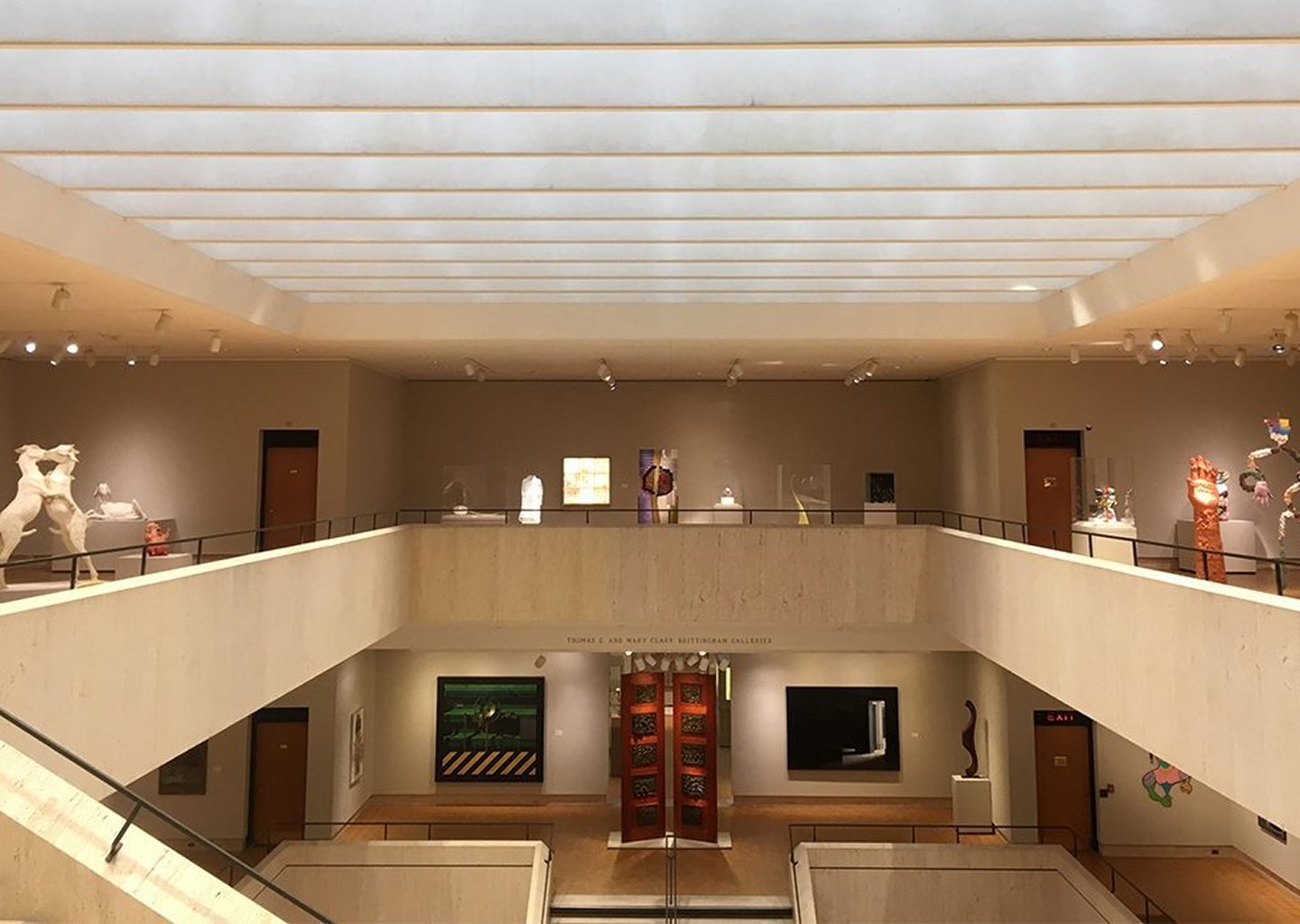
Chazen Museum
Sustainable point-based swapping app for the Madison College community
Role: UX researcher, UX/UI designer
Tools: Figma
Focus: app design, UX research
Overview
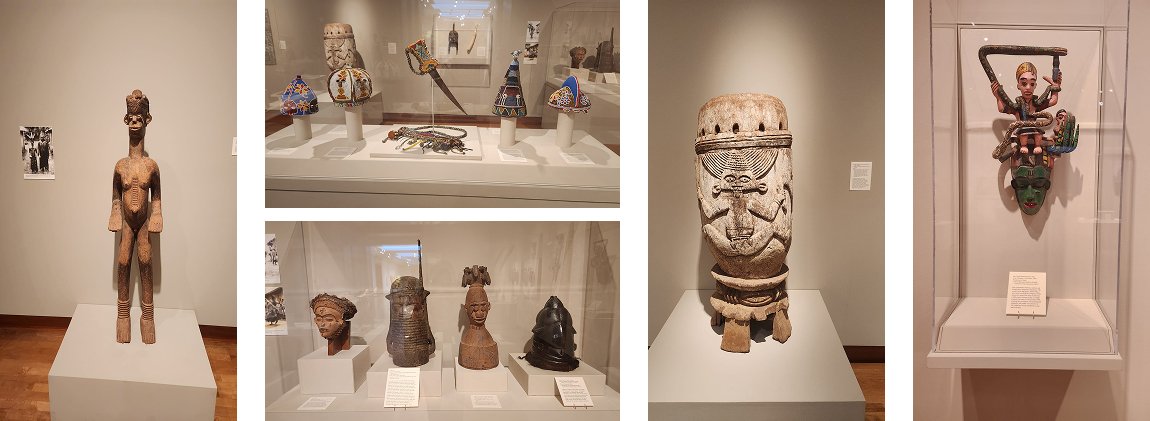
An immersive AR-based museum experience designed for the African gallery at the Chazen Museum of Art. Visitors can scan artifacts to unlock cultural stories, sounds, and real-life demonstrations, transforming passive viewing into interactive cultural discovery.
Problem Statement
The African art exhibit feels passive and lacked
cultural context.
It does not help visitors visualize the cultural context behind the objects.
Goal
Design a digital feature that increases interactivity at the exhibition by encouraging exploration and participation, while also supporting deeper cultural understanding.
UX Research
User surveys
A 9-question screener survey was distributed on campus and online to reach potential interviewees who fit the app’s target audience.
Target: Madison College members
Responses: 29
User interviews
I conducted 4 interviews with students and sustainability-focused staff, which helped identify their key motivations, current behaviors, and major concerns.
Users made me realize that I hadn’t fully defined the logistics or point system yet, since they all asked about it or believed it was not clear.
One insight directly influenced the app dynamics: There was a strong preference for a school-backed pickup location.
Insights
Users need:
A simple, low-effort way to discard unwanted items
Safety and trust when meeting people - verified users
Minimal uncertainty around item condition - ability to inspect
Clear logistics for swaps - streamlined process
In-person pop-up location or regular events for an interactive swap experience
Features and functionalities
To resolve the most important user needs, I defined the product’s MVP with the basic features available for a first version of the app
List an item option
Feed with listed items
User verification
Reward system
Claim an item option
Save item option
Item condition check
Filter items option
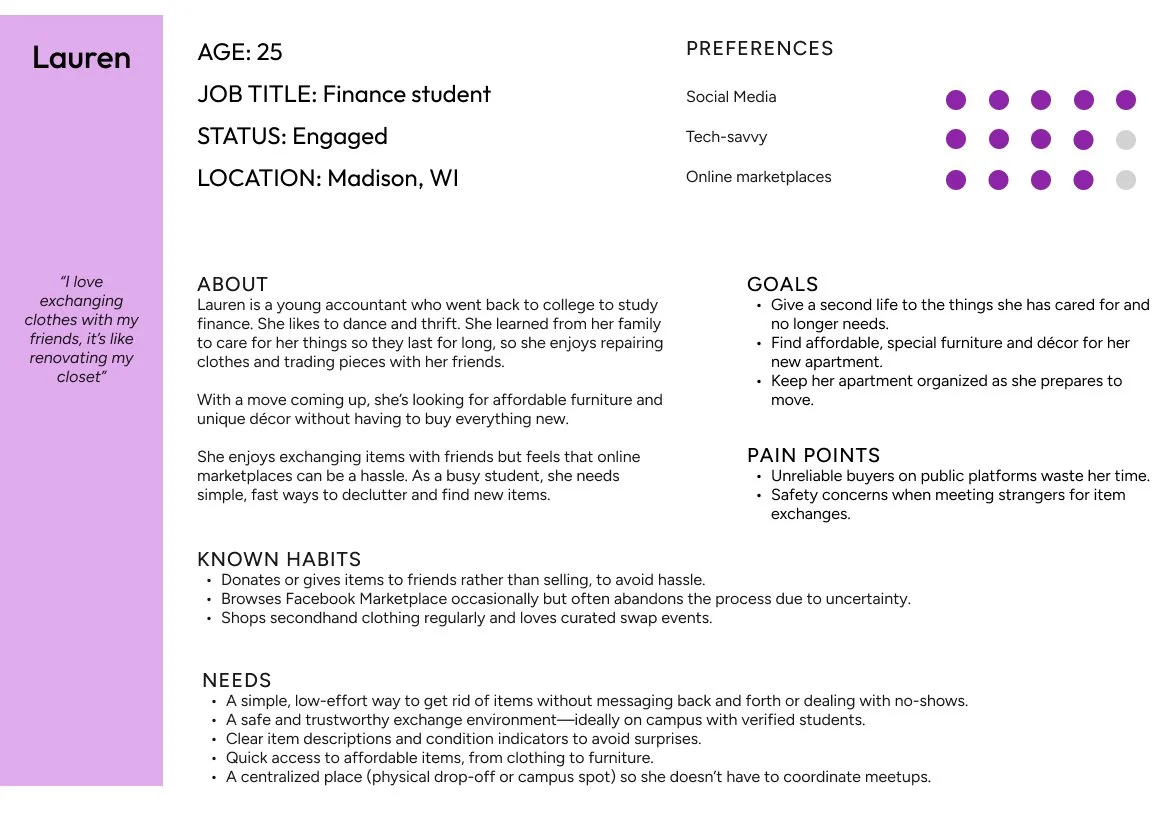
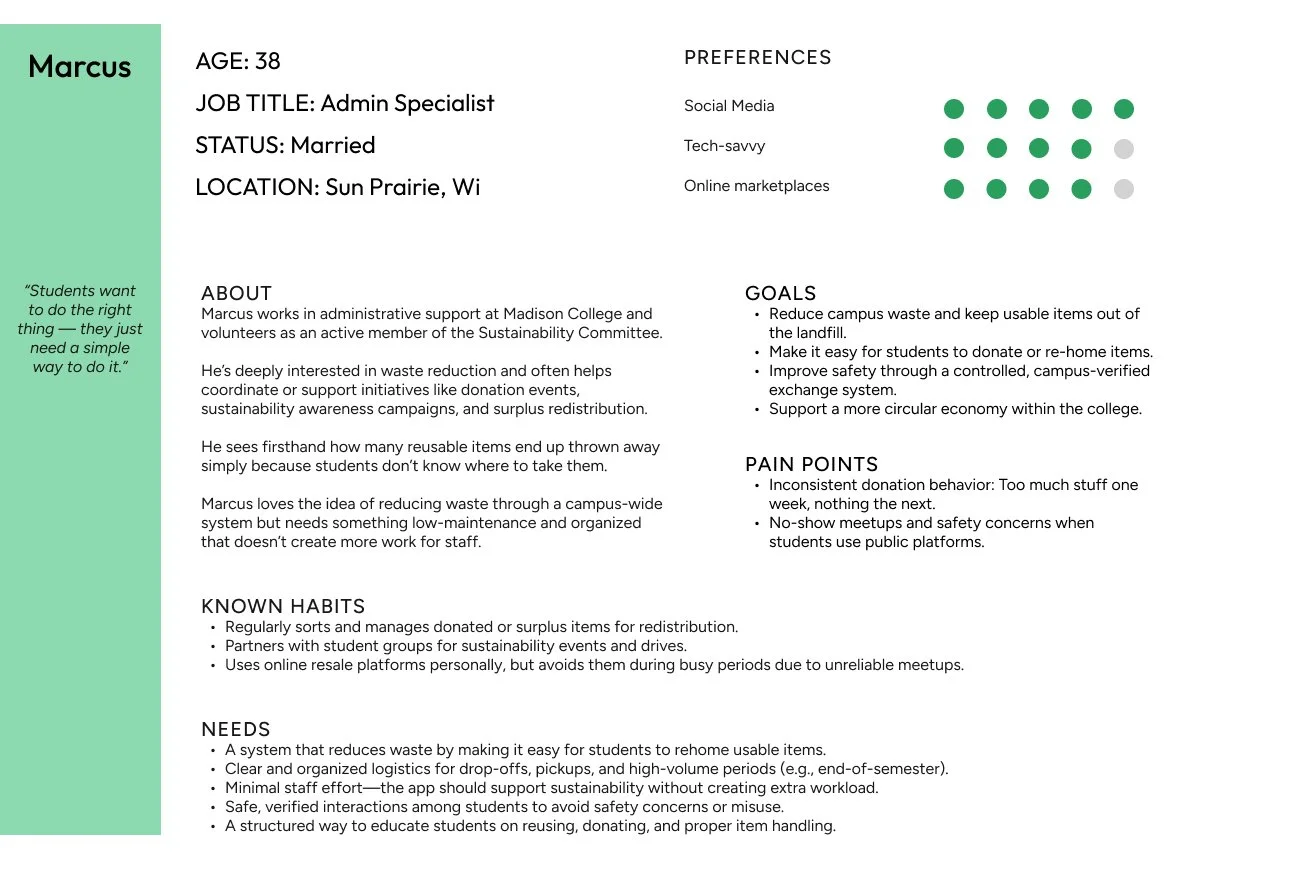
User personas
Based on the user interview analysis, I defined
2 user personas who clearly represent the target users’ goals and needs. Both are members of Madison College but have distinct interests in using the app.
User flows
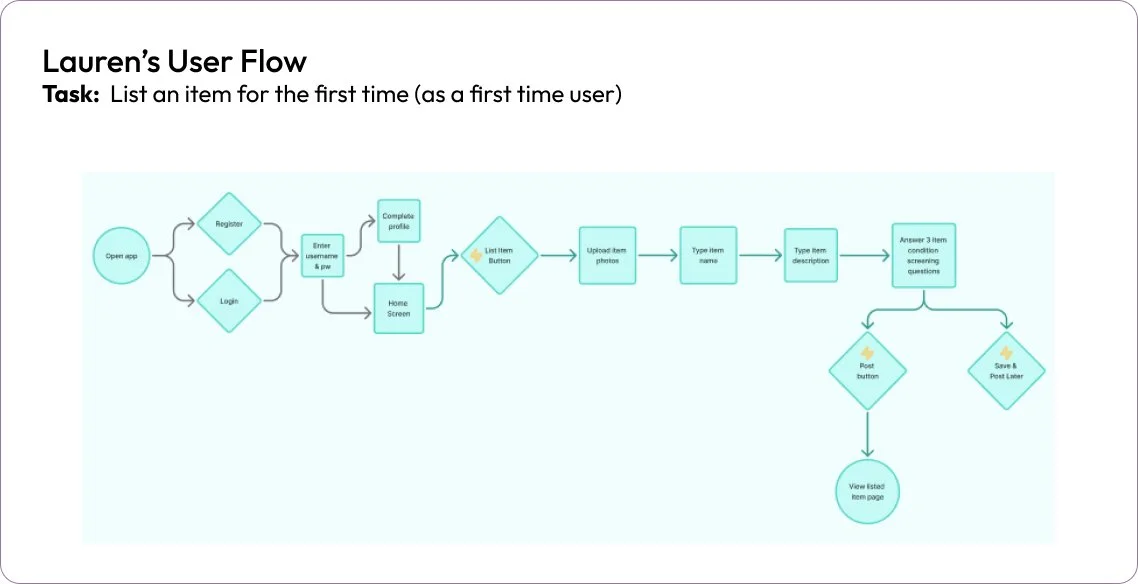
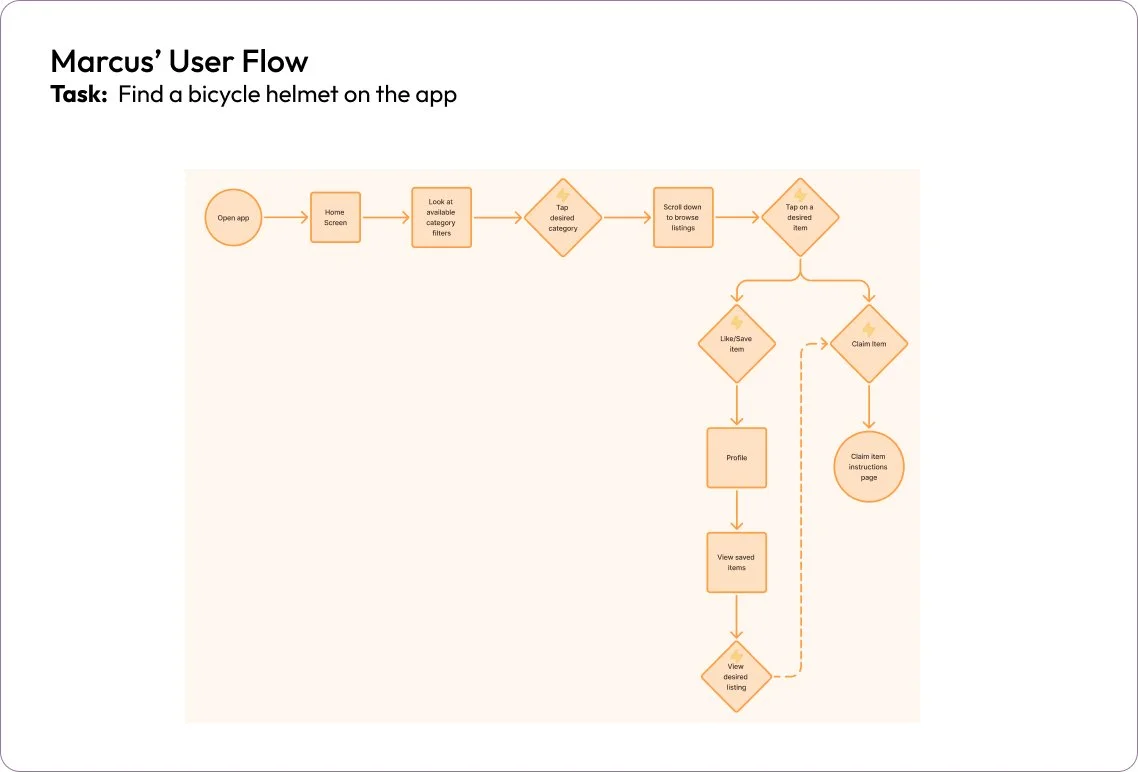
I mapped out one user flow per user persona with a task they would likely do, in alignment with their profile, goals, and needs.
These helped me determine the most important screens as well as the key flows and interactions I had to prototype.
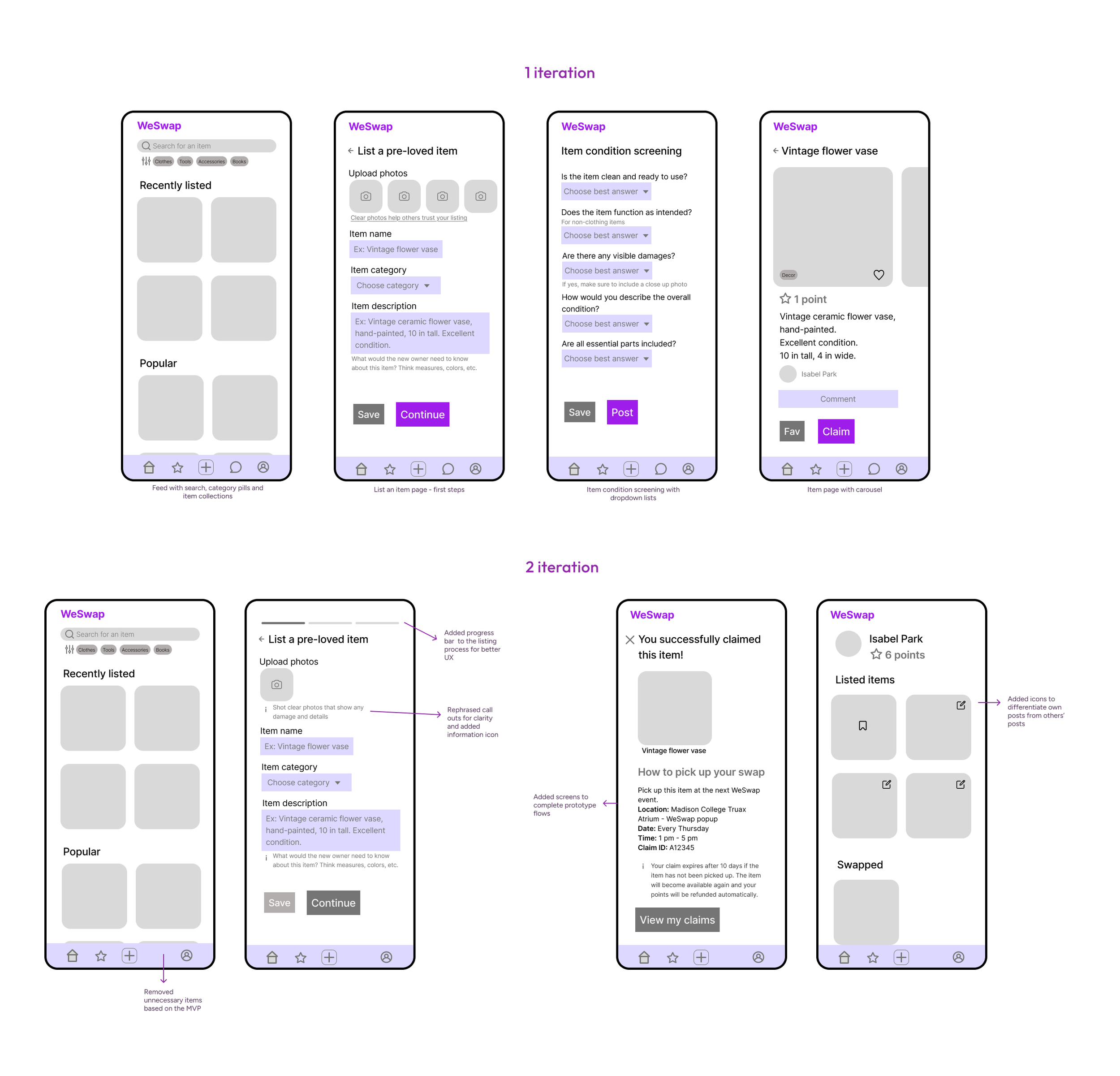
Wireframes
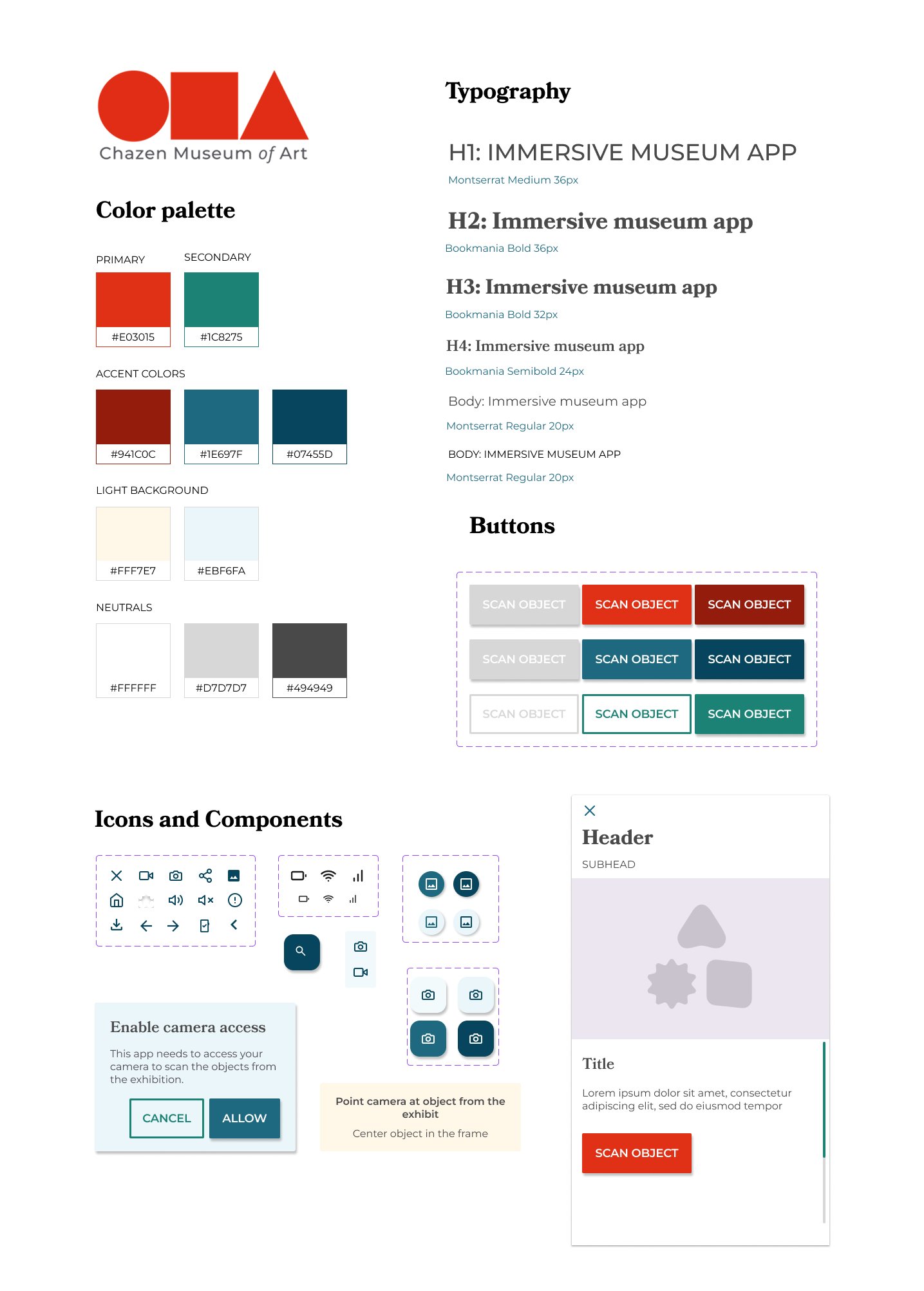
Style Guide